The perfect loop
With your own media: the end melts into the start, with no visible seam.

Without
end of the videovisible seamstart of the video
With the perfect loop
end of the videocrossfadestart of the video


Mix your videos live, on every screen.
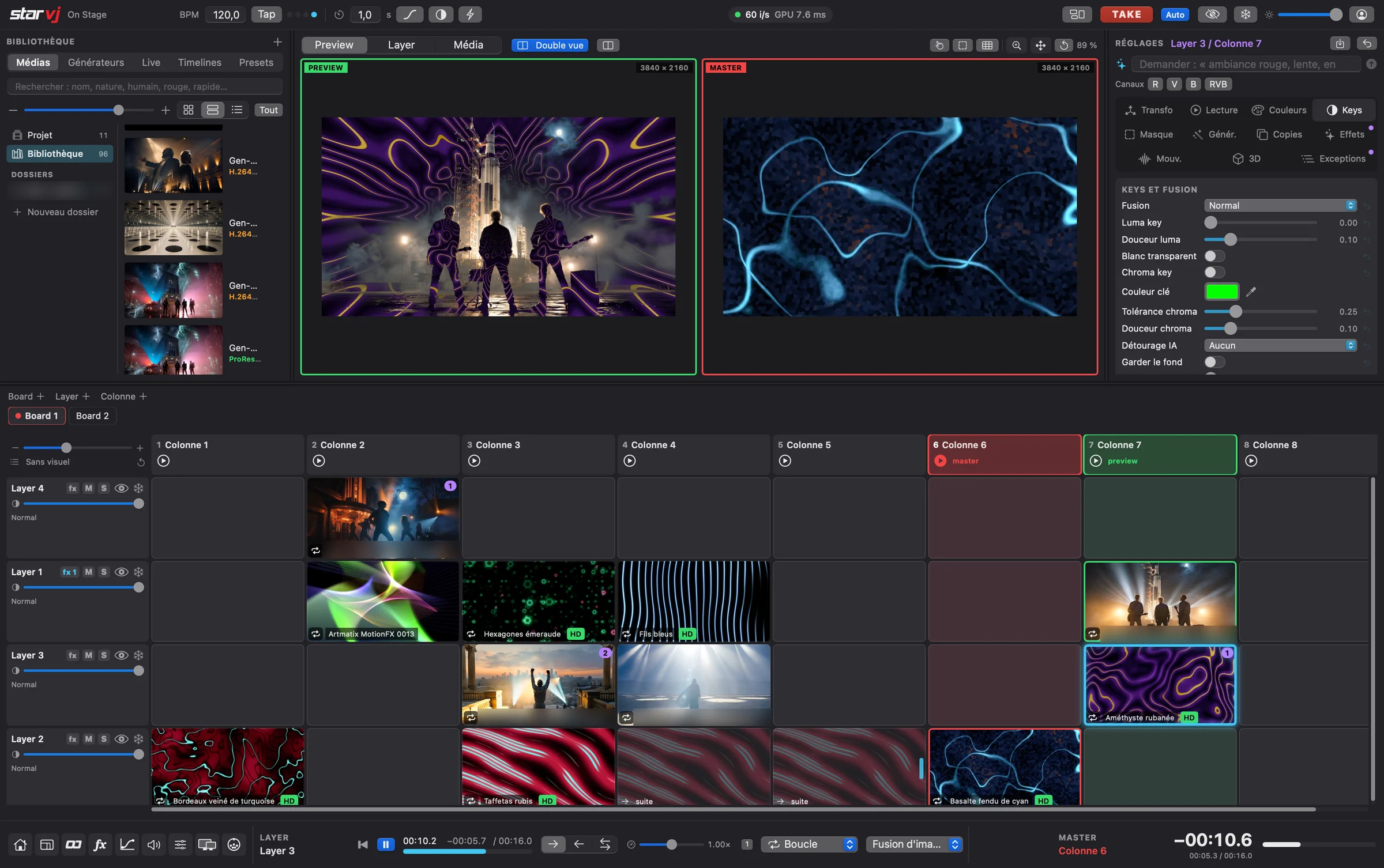
With your own media: the end melts into the start, with no visible seam.
end of the videovisible seamstart of the video
end of the videocrossfadestart of the video
Starvj taps the full power of Apple M chips for real-time slow motion without stutter: the Mac’s AI creates the missing frames. And your HD videos go 4K, computed on the Mac, no cloud.
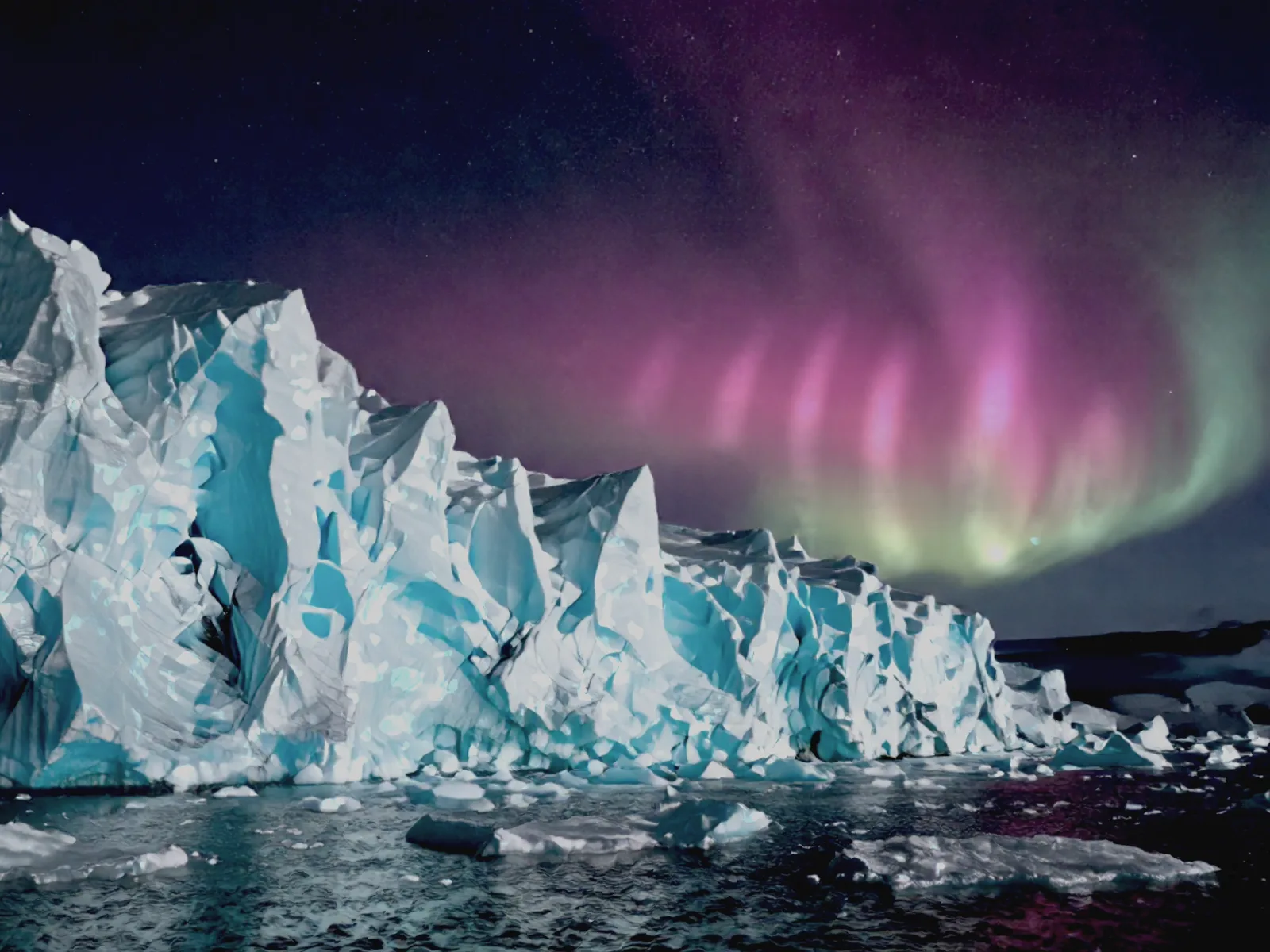
original framescreated by AI
During the show, your cameras, NDI and Syphon go to the screens the shortest way: the picture is laid down per pixel, at the very last moment, on each output. Only zero-latency settings stay available in Direct live.
Medians measured on 23/10/2026 on an M3 Mac, simulated camera, EIZO projector in HD (30.0 ms in 4K). No stutter, no dropped frame. With a real camera, add the camera’s own delay.
A separate window, placed on the screen of your choice: preview, master, auxiliary canvases and live inputs, each in its own proportions. Below, the current column, the timecode and countdown of the video, the next column and the level of the audio input Starvj listens to.

The timecode of the video on the master, on a web page: open Starvj’s local address in the browser of another computer, a tablet or a phone on the same network. Nothing to install. The page also shows a light preview of the master and offers Pause, Back to In and “Go to”. A 6-digit code protects access, and nothing leaves the local network.
Compose your own interfaces with buttons, sliders, knobs, XY joysticks and LCD displays, over several pages. Link each element to a Starvj command, then play them on the Mac or in the browser of a device on the same network.
Slice the canvas, send each slice to a screen, warp it by its corners.

Place your fixtures and LED strips on the canvas: each one takes the average colour of its zone, as RGB, RGBW or dimmer. Starvj sends it over the network, as Art-Net or sACN, up to 44 times per second, with a master intensity. It is a pixel-mapping output over the network, not a lighting console.

3D, fractals, glitch, time, light: over 300 ready-to-play combinations, ready to lock to the tempo.
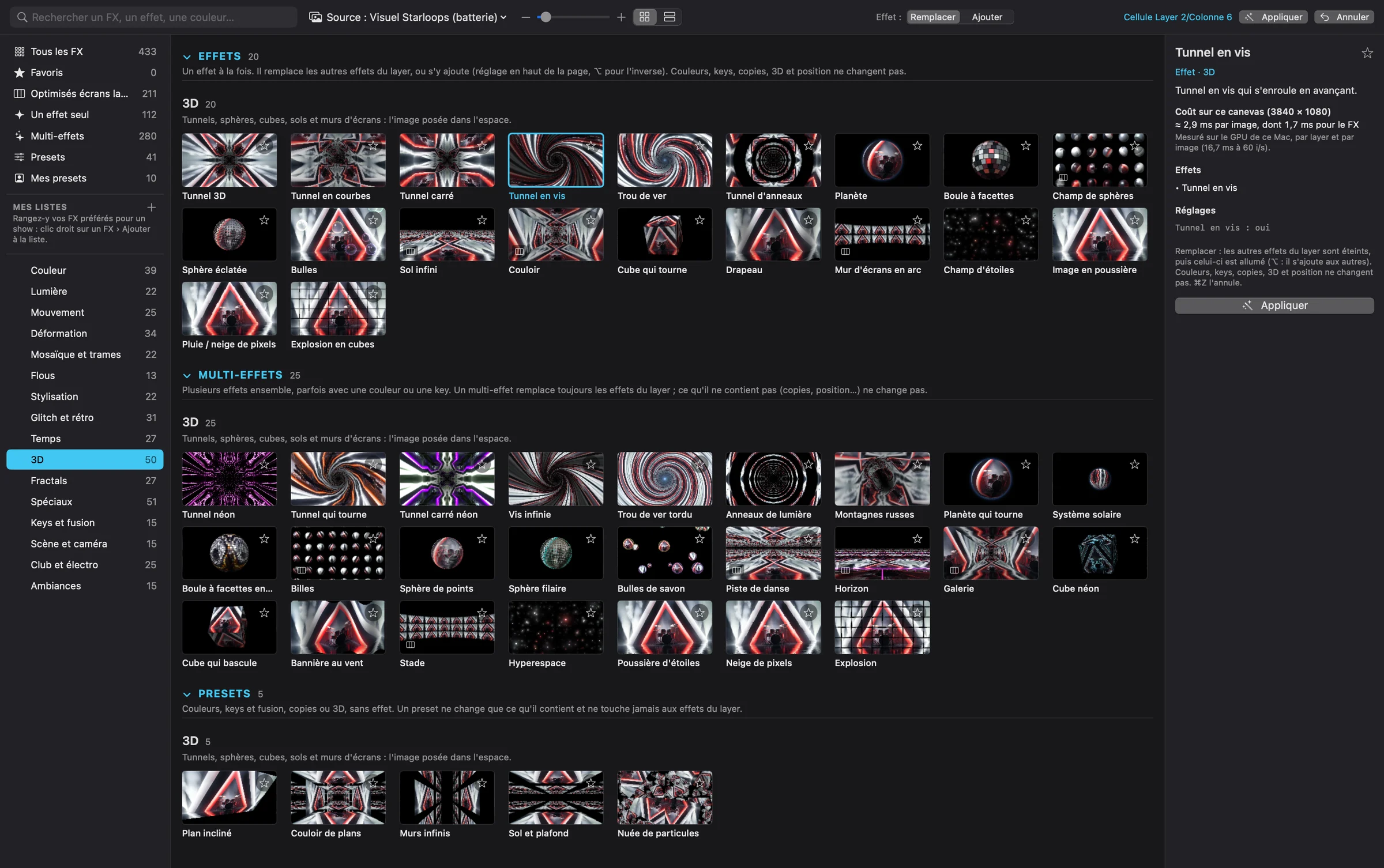
Several canvases in one project, up to 32,768 px on M5 chips. The GPU gauge shows in real time what your show asks of your Mac: add a canvas, change the format, and you see at once whether it will stay smooth, before you go on stage.
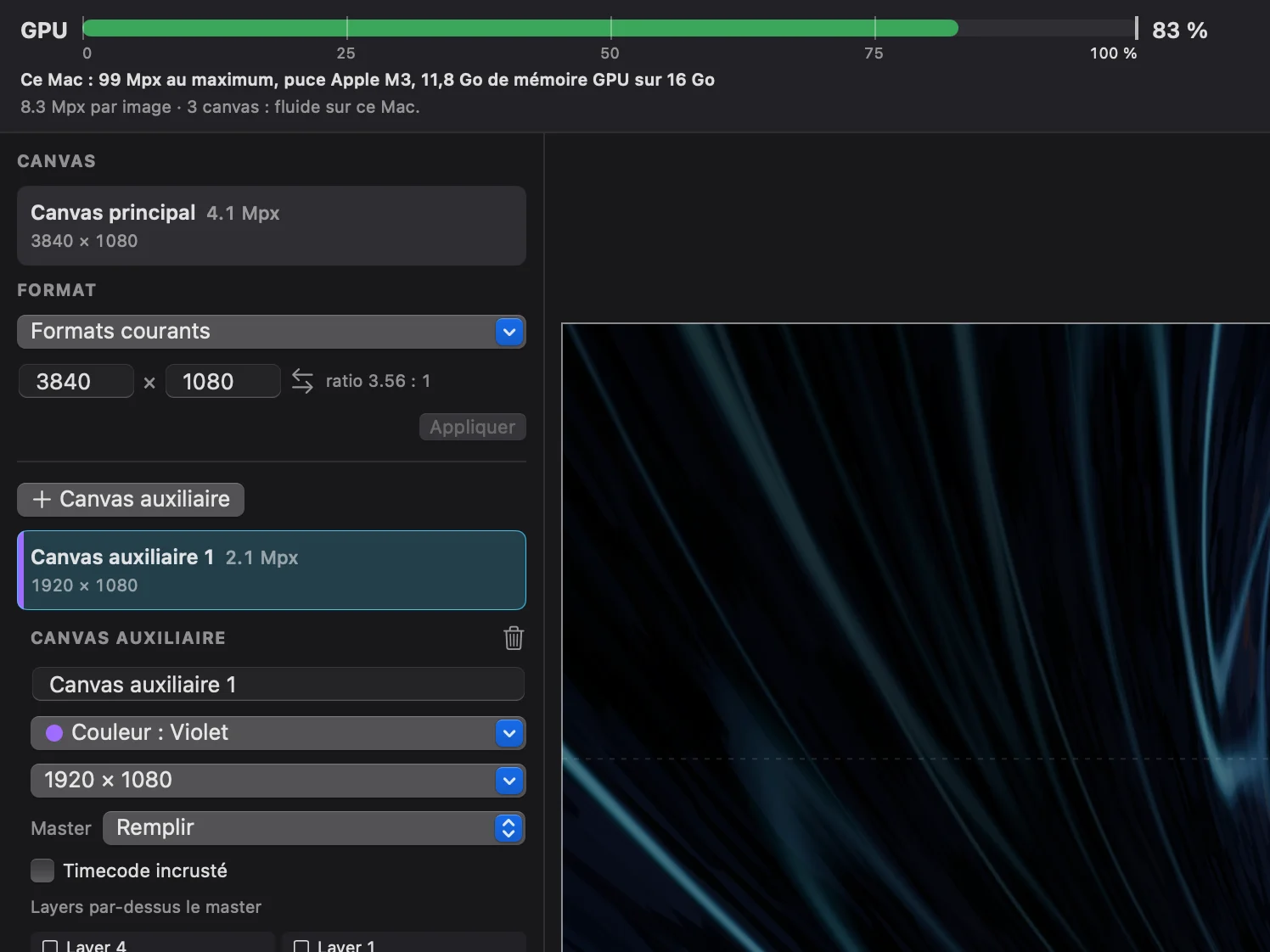
Each space has its own window, across every screen of your control room at once. Live, for example: Loops on one screen, the main window (preview, master, board) on a second, FX on a third.

From 1 December 2026 to 31 January 2027
2 Macs for €199 incl. VAT
After 31 January: €299 incl. VAT

 is built into Starvj
The library, streaming, My folders and the keyboards, in a Starvj page. Loops are obtained separately; 100 free loop credits come with every purchased licence.
Discover LoopsLoops, free, is played from the Mac keyboard. Loops is built into Starvj: the library, streaming, My folders and the keyboards, in a Starvj page. Starvj also adds everything big shows need.
Discover Loops81 features compared, as planned when Starvj goes on sale.
| Feature | Free | |
|---|
| Feature | Loops | Starvj |
|---|---|---|
| PriceThe app itself. | Free | €199 (1 Mac), €299 (2 Macs) incl. VAT |
| MacsHow many Macs at once. | 2 per account | 1 to 5, €100 incl. VAT per added Mac |
| Loops page: library, streaming, My foldersLibrary loops are not included; sales not open yet. | Included | Included |
| Free loop creditsWith a purchased licence. | Not included | 100 (200 founders offer) |
| Offline during the showNo check in the middle of a show. | Included | Included |
| Automatic updatesNever during a show. | Included | Included |
| Feature | Loops | Starvj |
|---|---|---|
| Mac keyboard played as you typeLoops on the keys, Create and Play modes. | Included | Included |
| On / off or Flash, fade per keyA key stays on or plays while held. | Included | Included |
| Up to 32 keyboardsSwitching keyboards cuts nothing. | Included | Included |
| MIDI keyboard played like the keys2 to 4 octaves, velocity sets opacity. | Included | Included |
| Visual instrumentMIDI keys and pads play visuals, effects or columns; 8 voices. | Not included | Included |
| Key sequences1 to 8 bars, played or drawn, looping. | Not included | Included |
| Column board, preview and TAKEPrepare in preview, send to the master. | Not included | Included |
| Launch locked to the tempoOn the beat, on the bar, every 2 or 4 bars. | Not included | Included |
| Several boards per projectWith layers shared by all boards. | Not included | Included |
| Clicker modeA presentation remote sends the next column. | Not included | Included |
| Blackout, freeze, silent modeEdit the show without the audience seeing it. | Not included | Included |
| Customisable shortcutsConflicts detected. | Not included | Included |
| Tapped or typed tempo | Included | Included |
| AutopilotMoves to the next media every 1 to 16 bars. | Included | Included |
| Feature | Loops | Starvj |
|---|---|---|
| Your video foldersTags and filters by codec, size, frame rate, transparency. | Included | Included |
| H.264, H.265, ProRes, HAP, HAP Alpha | Included | Included |
| Still images | Not included | Included |
| Conversion to ProRes or HAPPaused during the show. | Included | Included |
| Library shared by all projectsAutomatic tags, computed on the Mac. | Not included | Included |
| In / Out points | Included | Included |
| Perfect loopThe end melts into the start. | Crossfade | Crossfade, luma or morph |
| GeneratorsPlasma, fire, water, aurora, lasers… | 26 | 26 |
| Video sound and audio mixerVolume, mute and solo per layer. | Not included | Included |
| Feature | Loops | Starvj |
|---|---|---|
| EffectsTwo separate catalogues. | 30, in 6 families | 112, in 11 families |
| Ready-to-play looks | Not included | 433 |
| Effects on the keysUp to 6 per key. | Included | Not included |
| User effect presets | Not included | Included |
| Layers | Keys layered over the background | Unlimited layers |
| 8 blend modes, luma and chroma key | Included | Included |
| 4-corner perspective, frames | Not included | Included |
| 4 masks per layerShapes and free path. | Not included | Included |
| Copies, mirror, kaleidoscope, layer 3D | Not included | Included |
| Colours and levelsWith histogram. | Not included | Included |
| Automatic motionTo the tempo, the sound or body tracking. | Not included | Included |
| Column transitions and morphingPosition, scale and colour glide from column to column. | Not included | Included |
| Sound-reactiveLows, mids, highs, hits. | Not included | Included |
| Feature | Loops | Starvj |
|---|---|---|
| Slow motion by frame blending or live AI | Included | Included |
| Prepared slow motion ×2, ×4, ×8; speed-up | Not included | Included |
| AI upscaling to 4K, denoising | Not included | Included |
| Person cut-out without green screen | Not included | Included |
| Body trackingHands, head and arms drive motion. | Not included | Included |
| Live captions from the microphoneFrench or English. | Not included | Included |
| Natural-language commandsApple Intelligence, macOS 26. | Not included | Included |
| Feature | Loops | Starvj |
|---|---|---|
| Cameras and capture devicesMac camera, iPhone, USB, HDMI, Blackmagic or AJA cards. | Included | Included |
| NDI input | Not included | Included |
| Syphon input | Not included | Included |
| Audio inputFor sound reactivity. | Not included | Included |
| Feature | Loops | Starvj |
|---|---|---|
| Outputs | 1 screen, up to 4K | Several screens |
| Direct liveCamera, NDI or Syphon laid down per pixel, at the last moment, on each output. | Not included | Included |
| NDI and Syphon output | Not included | Included |
| Large canvasUp to 16,384 px per side, 32,768 on M5 chips. | Not included | Included |
| Multi-canvasAuxiliary canvases for other screens. | Not included | Included |
| Slices and screensA canvas area placed in an output. | Not included | Included |
| Warping4 corners, grid, free points, to the pixel. | Not included | Included |
| Edge blending between projectors | Not included | Included |
| Output masks, test pattern | Not included | Included |
| Colour correction per output | Not included | Included |
| Screen refresh rates aligned50 or 60 Hz. | Not included | Included |
| Timeline video renderProRes, H.265, H.264. | Not included | Included |
| Feature | Loops | Starvj |
|---|---|---|
| MIDI notes | Included | Included |
| MIDI and keyboard learning | Fade and speed | Everything |
| Controllers with LED and fader feedbackBCF2000, Akai MPK Mini IV, Arturia MiniLab 37. | Not included | Included |
| Master effects pedal8 strips and banks. | Not included | Included |
| Control surface workshopButtons, sliders, joysticks, screens. | Not included | Included |
| DMX pixel mappingArt-Net or sACN, output. | Not included | Included |
| LTC and MTC timecode output | Not included | Included |
| Local web serverTimecode, preview, Pause / Go to, with access code. | Not included | Included |
| Feature | Loops | Starvj |
|---|---|---|
| Timeline with keyframesAn edit placed in a cell. | Not included | Included |
| MultiviewUp to 16 views with timecode and meter. | Not included | Included |
| Timecode windowLarge master countdown. | Not included | Included |
| Workspaces (⌃1 to ⌃9)Project, canvas, Loops, FX, timeline, audio, controllers, outputs, DMX. | Not included | Included |
| Separate Keyboard window | Included | Not included |
| Adaptive resolution, heat monitoring | Not included | Included |
| Autosave, export with media | Not included | Included |
| Session log and support from the app | Included | Included |
Starvj composes your visuals on a free canvas up to 16,384 pixels per side, and 32,768 on M5 chips, entirely on the GPU. Layers sit in rows and moods in columns: prepare in preview, launch on the beat, and transitions glide position, scale and colour from one column to the next. It is the software we run ourselves at the desk.
Right-click a video: macOS AI upscales it to 4K, denoises it or speeds it up, on the Mac, no cloud. The original is kept, and processing pauses during the show.
Below speed 1, macOS AI computes the in-between frames live: smooth slow motion, no judder. For top quality, prepare a ×2, ×4 or ×8 slow motion that plays by itself.
The end of the video melts into its start, as a crossfade, a luma wipe or a morph: no visible seam when the loop restarts. The original is left untouched.
Distortion, mosaic and halftone, blur, light, colour, stylise, glitch, time, 3D, fractals and specials. Locked to the tempo, no jump when the loop restarts, in the order you choose.
A canvas up to 16,384 px per side, 32,768 px on M5 chips. Slice it out to displays, Syphon or NDI®, one slice feeding several outputs if needed; warp each by its corners, a grid or free points, with masks.
Launch immediately, on the beat, on the bar or every 2 or 4 bars. Tap tempo, TAKE on the space bar, hard cut with Shift.
Position, scale, rotation and colour glide between columns while the media crossfades. Duration and curve adjustable, per column if needed.
Master effects pedal on a Behringer BCF2000, visual synth on a keyboard (Akai MPK Mini IV, Arturia MiniLab 37) with tempo-locked sequences, MIDI or keyboard learn on any setting, control surfaces you build yourself.
Starvj listens to a live audio input: lows, mids, highs, level and hits drive layer motion and the effects pedal.
Person cut-out without a green screen, body tracking that drives motion, live captions from the microphone, natural-language commands.
Webcams, cameras, Blackmagic cards (Desktop Video), NDI® sources and Syphon servers from other apps.
Build an edit with keyframes, curves and crossfades, then drop it into a board cell like a video.
Modul8-style colour, luma and chroma key, four masks per layer, up to ×8 kaleidoscope duplication, tempo-locked oscillators on any setting.
Shared by all your projects, with accent-insensitive search, local media analysis (colour, pace, content), HAP, ProRes, H.264 and HEVC playback.
Silent mode, global freeze, blackout on one key, undo and redo, autosave. The GPU time of every output is measured live.
The licence activates with a key sent by email. It never lets you down mid-show.
built inLoops is built into Starvj: the library, streaming, My folders and the keyboards, in a Starvj page. Library loops are obtained separately; 100 credits come with the licence.
€100 incl. VAT per added Mac, up to 5 Macs, from your account. Beyond that, a studio licence on request.
100 Loops credits with every purchased licence, with no time limit, to spend in the Starvj Loops window or in the Loops app.
Sold by Link, Stripe’s payment service, our merchant of record. Prices include VAT; the final price, with your country’s VAT, is shown on the payment page before you pay. You accept the licence agreement before paying; your licence key is sent by email.
NDI® is a registered trademark of Vizrt NDI AB. Mac, macOS and Apple Silicon are trademarks of Apple Inc. Other names belong to their respective owners.

 has been playing its visuals live since 2007.
Describe the venue, the date, the audience and the mood you are after. We usually reply within 48 hours.


